Skip to content
  • There are no suggestions because the search field is empty.

Activating ESS (Client User)

An iSolved Client User must enter an employee's email address to activate an employee's ESS account.  Once entered and turned on, the employee will receive an email to complete the activation process.  

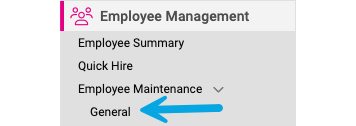
  1. Go to: Employee Management > Employee Maintenance > General in the menu bar.General Screen - 3


  2. Select the Employee from the Employee List.Employee List -2
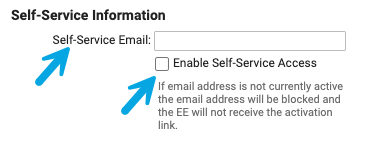
  3. Enter the employee's email address and click the Enable Self-Service Access box.  A checkmark will appear in the box. Enter Email and Enable
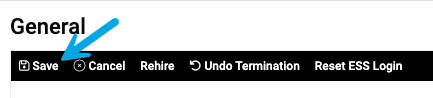
  4. Click Save.
    Click Save-1
  5. The employee will receive an email with instructions on how to complete the setup process. 
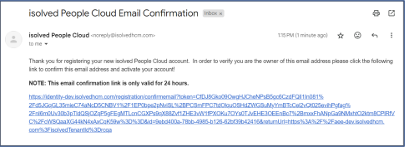
    EE Email